Datto OpenMesh Setup Guide
OpenMesh is a very easy platform to implement. The key steps are:
- Set the splash settings, URL and secret
- Set the authentication URL and secret
- Walled garden updates
Setting the splash URL and secret
Choose your SSID
Enter your SSID Name and choose the "Open" authentication type
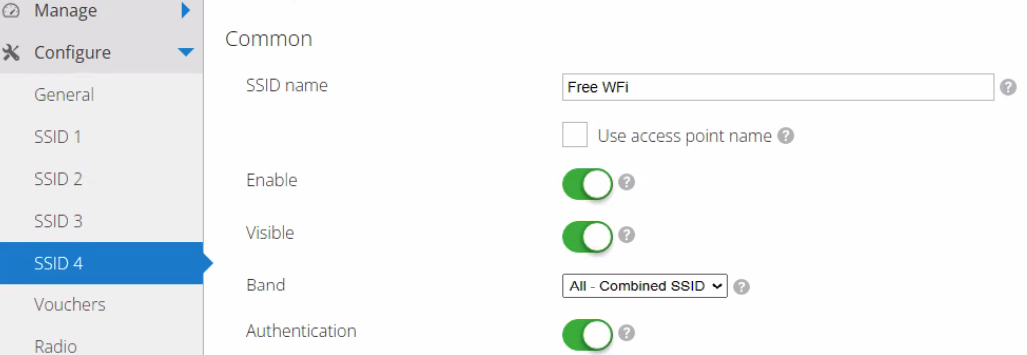
Choose the "Captive Portal" tab
For Type, select "Hosted Remotely"
and enter the full splash page URL. The secret is "Fydelia":
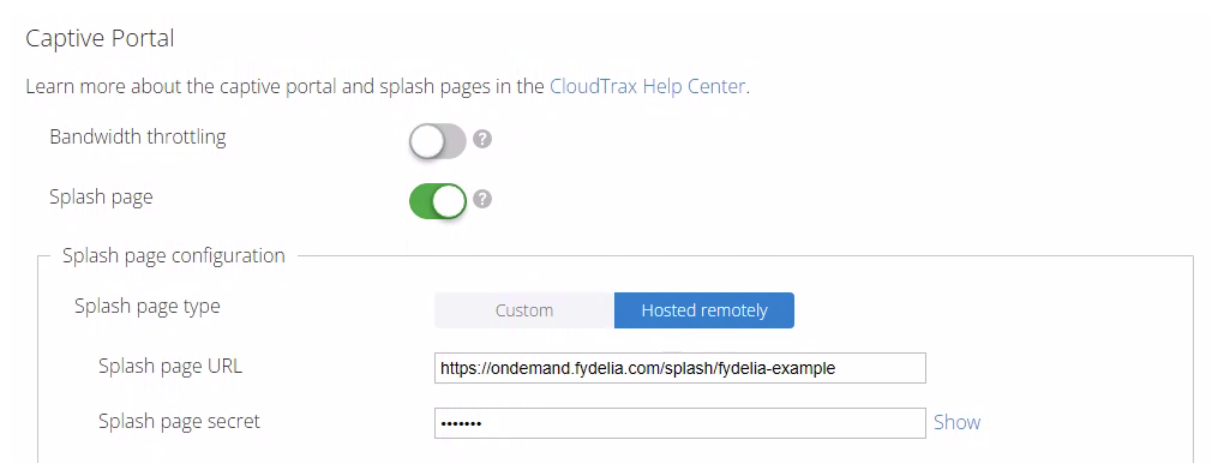
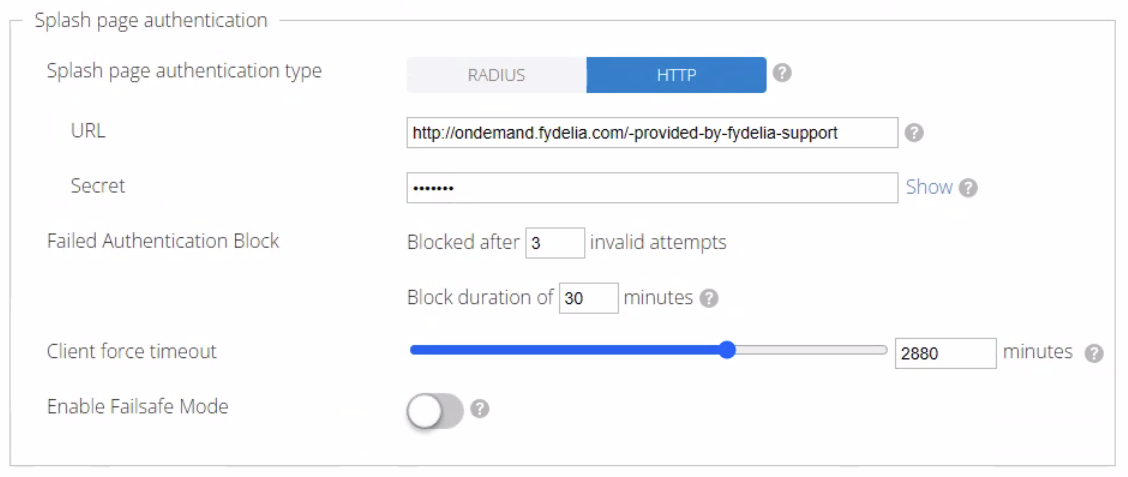
The Authentication settings will be provided to you by Fydelia Support during onboarding.
Authentication settings
Enter the Auth URL provided to you by Fydelia support
Enter the secret: Fydelia
Walled garden
Put Fydelia server in Walled Garden:
- ondemand.fydelia.com
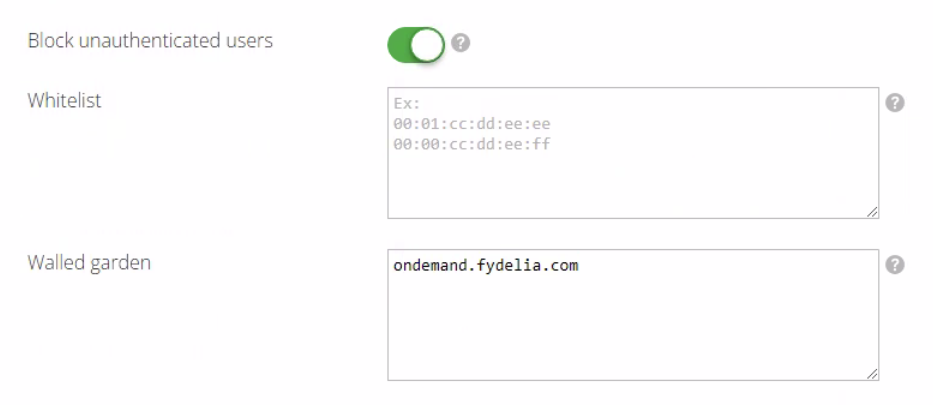
Be sure to check that "Block unauthenticated users" is enabled as shown.
You're all set! There are no settings to perform on the Fydelia side.